| Windows 11 |
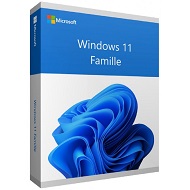
|
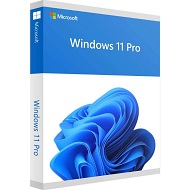
|
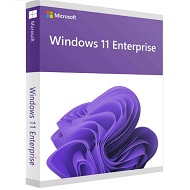
|
|---|---|---|---|
Application Control:Powered by Intelligent Security Graph. |
✔ | ✔ | ✔ |
Automatic encryption on capable devices |
✔ | ✔ | ✔ |
iometrics:B Windows 11 powers the advanced biometric features of modern devices, such as fingerprint scanners and special IR cameras for face recognition. |
✔ | ✔ | ✔ |
Device encryption:Device encryption is available on a wide range of Windows devices and helps protect your data by encrypting it. If you turn on device encryption, only authorized individuals will be able to access your device and data. |
✔ | ✔ | ✔ |
Find my device |
✔ | ✔ | ✔ |
Firewall and network protection |
✔ | ✔ | ✔ |
Internet protection:App & browser control in Windows Security provides the settings for Microsoft Defender SmartScreen, which helps protect your device from potentially dangerous apps, files, websites, and downloads. |
✔ | ✔ | ✔ |
Enhanced phishing protection with Microsoft Defender SmartScreen:Helps protect people from phishing attacks by alerting them as they are entering their Microsoft credentials into a malicious application or website. |
✔ | ✔ | ✔ |
Protection InternetLe contrôle des applications et du navigateur dans Windows Security fournit les paramètres pour Microsoft Defender SmartScreen, qui permet de protéger votre appareil des applications, fichiers, sites web et téléchargements potentiellement dangereux. |
✔ | ✔ | ✔ |
Windows presence sensing:Presence sensing combines Windows Hello with presence detection sensors to sign you in when you approach and lock when you leave. |
✔ | ✔ | ✔ |
Multifactor Authentication:Windows 11 offers simple, secure multifactor authentication 3 via phone call, text, or the Microsoft Authenticator app for mobile phones and tablets. |
✔ | ✔ | ✔ |
|
Remotely remove business data from lost or stolen devices |
✔ | ✔ | ✔ |
Application Control:Powered by Intelligent Security Graph. |
✔ | ✔ | ✔ |
Automatic encryption on capable devices |
✔ | ✔ | ✔ |
Parental controls/protection:Manage screen time, limit access to mature content, control online purchases when you connect your family's Microsoft accounts, and check to make sure the family’s devices are secure and up to date. |
✔ | ✔ | ✔ |
Protection from fileless based attacks |
✔ | ✔ | ✔ |
Secure Boot |
✔ | ✔ | ✔ |
Security by default:All new Windows 11 devices will come with powerful built-in security including hardware isolation, encryption, and malware protection. |
✔ | ✔ | ✔ |
Smart App Control |
✔ | ✔ | ✔ |
Windows Defender Antivirus |
✔ | ✔ | ✔ |
Windows Defender System Guard |
✔ | ✔ | ✔ |
Windows Hello:Using facial recognition, a fingerprint, or PIN, Windows Hello is a fast, secure, and password-free way to unlock your compatible Windows devices. |
✔ | ✔ | ✔ |
Bitlocker device encryption:If your device is lost or stolen, BitLocker and BitLocker To Go put everything on lockdown, so no one else can access your systems or data |
✔ | ✔ | ✔ |
Integrated with Microsoft Information Protection |
❌ | ✔ | ✔ |
Remote Deployment and Compliance |
❌ | ✔ | ✔ |
Windows Hello for Business:Windows Hello capabilities plus passwordless sign-in to Windows and Azure. |
❌ | ✔ | ✔ |
Windows Information Protection (WIP):WIP helps to protect against potential data leakage without otherwise interfering with the employee experience. WIP also helps to protect enterprise apps and data against accidental data leaks on enterprise-owned devices and personal devices that employees bring to work, without requiring changes to your environment or other appsntal data leaks on enterprise-owned devices and personal devices that employees bring to work, without requiring changes to your environment or other apps |
❌ | ✔ | ✔ |
Resilient File System (ReFS):Detects when data becomes corrupt on one of the mirrored drives and uses a healthy copy of your data on other drives to correct and protect data. |
❌ | ❌ | ✔ |
|
AUD63.99
See more
|
AUD71.99
See more
|
AUD124.99
See more
|

Filters
More filters
Schedules and availability
Services
Follow us on


Blog

Quote

© 2026 ASA Int. Services Pte Ltd All rights reserved