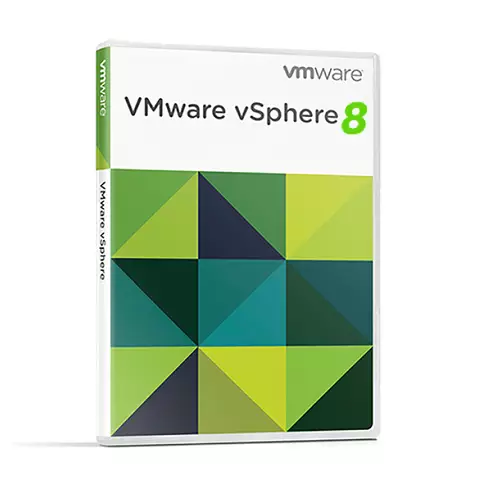
VMware vSphere 8
 Delivery within 24 hours via email




Guaranteed Authenticity
All our softwares are 100% authentic, directly from official manufacturers.
Warranty
Enjoy peace of mind with our during the product's validity warranty, far beyond the standard 30 days.
Free Installation
Enjoy a free installation service for a hassle-free setup.
24/7 Customer Support
Our dedicated team is available anytime to assist you.
Best Prices
Get the best prices: AUD4106.19!
Description
VMware vSphere 8 Essentials Plus Kit: Overview
VMware vSphere 8 Essentials Plus Kit is the ideal solution for small businesses seeking to introduce IT virtualization to their infrastructure. This comprehensive kit provides all the necessary tools to build, manage, and secure a powerful virtual environment, bringing improved flexibility, performance, and cost efficiency.
- Comprehensive Virtualization Solution: Virtualize your entire IT infrastructure for cost-effective scalability.
- Centralized Management: Simplify infrastructure management with vCenter Server’s centralized management console.
- Security and Data Protection: Benefit from advanced security and high availability features.
- Efficient Resource Allocation: Optimize hardware utilization with automated load balancing and resource scheduling.
- Future-Proof Scalability: Easily scale your infrastructure as your business grows, ensuring minimal complexity.
Key Features of VMware vSphere 8 Essentials Plus Kit
This kit supports live migration, automated load balancing, and extensive scaling options. The seamless transition between physical and virtual environments enhances flexibility and drives long-term cost savings, making it a valuable asset for any small business looking to modernize its IT infrastructure.
Efficient IT Infrastructure Virtualization
The VMware vSphere 8 Essentials Plus Kit is built on the robust vSphere technology, which allows small businesses to virtualize their entire IT infrastructure. This helps reduce hardware costs, improves system flexibility, and boosts overall performance. It is ideal for businesses looking to gain greater control over their IT environments without large upfront investments.
Enhanced Flexibility and Cost Savings
By deploying virtual machines (VMs), businesses can dynamically allocate resources as needed, ensuring better efficiency in resource use. The ability to manage workloads in a flexible manner enables organizations to achieve optimal performance with reduced physical hardware investments.
Improving Operational Efficiency
Through these automated features, VMware helps businesses eliminate manual interventions, reduce the risk of human error, and improve the overall efficiency of their IT operations.
Growing with Your Business
As your business expands, the VMware vSphere 8 Essentials Plus Kit ensures that your infrastructure grows with you. Its scalability options make it easy to add more resources, including VMs, storage, and computing power, without compromising system performance.
Preparing for Future Demands
With vSphere 8, you are prepared for future expansion. Whether you need to add new hardware or accommodate more users, the kit simplifies the process, ensuring your IT systems remain agile and ready for future growth.
Increased IT Efficiency
With vCenter Server, businesses can easily manage both hardware and virtual assets. This results in higher operational efficiency, reduced IT overhead, and more time for strategic decision-making within the company.
Benefits of VMware vSphere 8 Essentials Plus Kit
Simplified IT Management
- vCenter Server provides a centralized interface for managing your entire virtual infrastructure, including VMs, hosts, and storage.
- Automated features streamline complex IT tasks, reducing manual effort and improving efficiency.
Comprehensive Monitoring and Troubleshooting
- Advanced monitoring capabilities provide real-time insights into system health, performance, and resource utilization.
- The intuitive dashboard enables proactive issue detection and resolution, minimizing downtime.
High Availability and Business Continuity
- Built-in features like vSphere HA, Data Protection, and Replication ensure maximum uptime and data security.
- These features enable business continuity by providing robust disaster recovery and failover capabilities.
Resource Optimization
- DRS and other tools automatically balance workloads across the infrastructure, maximizing hardware utilization and improving application performance.
- This leads to significant cost savings and improved resource efficiency.
Scalability and Flexibility
- Easily scale your infrastructure up or down as business needs evolve.
- Maintain operational efficiency and manageability throughout the scaling process.
System Requirements
Hardware Requirements
- CPU: 64-bit x86 processor
- RAM: Minimum of 8GB
- Storage: 100GB of free disk space
- Network: Gigabit Ethernet
- Additional Hardware: Compatible with ESXi hosts
Software Requirements
- Operating System Compatibility: ESXi 8.0 or later
- vCenter Server Compatibility: Version 8.0
- Other Requirements: Requires a license key for activation
Frequently Asked Questions
-
What is the main difference between the Essentials and Essentials Plus Kit?
The Essentials Plus Kit includes additional features like high availability and backup solutions, making it more suitable for businesses with higher uptime and data protection needs. The Essentials Kit is a more basic solution.
-
Can I upgrade to VMware vSphere 8 Essentials Plus Kit from an older version?
Yes, upgrades are supported. VMware provides detailed documentation on how to upgrade your existing setup to vSphere 8 Essentials Plus Kit to take advantage of the latest features.
-
What is VMware's policy on support for vSphere 8 Essentials Plus Kit?
VMware offers comprehensive support for the Essentials Plus Kit, including 24/7 access to their support team and regular software updates to ensure compatibility with the latest hardware and software standards.
-
How to download and activate VMware vSphere 8 Essentials Plus Kit?
Once your purchase is complete, you'll receive a secure download link and a valid license key by e-mail. Follow the installation instructions, enter your product key and start using VMware vSphere 8 Essentials Plus Kit immediately.



