
InPixio Photo Focus Professional

Delivery within 24 hours via email
 Free
Free
 Authentic Code
 Download Link
 Multilingual

 1 year
 Worldwide
 Full Version

Guaranteed Authenticity
All our softwares are 100% authentic, directly from official manufacturers.
Warranty
Enjoy peace of mind with our during the product's validity warranty, far beyond the standard 30 days.
Free Installation
Enjoy a free installation service for a hassle-free setup.
24/7 Customer Support
Our dedicated team is available anytime to assist you.
Best Prices
Get the best prices: AUD55.99instead of AUD95.99 and save! AUD40!
Description
InPixio Photo Focus Professional: Overview
- Improve the sharpness of your photos
- Simplicity with the 1-click Sharpening feature
- Increase and enhance focus
- Impressive effects with the tilt-shift blur filter
- NEW! Tone Curve (RGB Adjustments)
The PRO Version Benefits
Discover InPixio Photo Focus in Action
Improve Sharpness
Getting sharp photos is almost an impossible mission, especially for candid shots. InPixio Photo Focus is the effective solution for obtaining clear and sharp images.


Enhance Focus
Apply a sharpening filter to your photos, along with a blur filter to soften certain areas of your images. This accentuates the contrast between the blur of the background and the sharpness of the center of the image, creating the well-known depth of field effect. The result is an even sharper focus on the essentials.


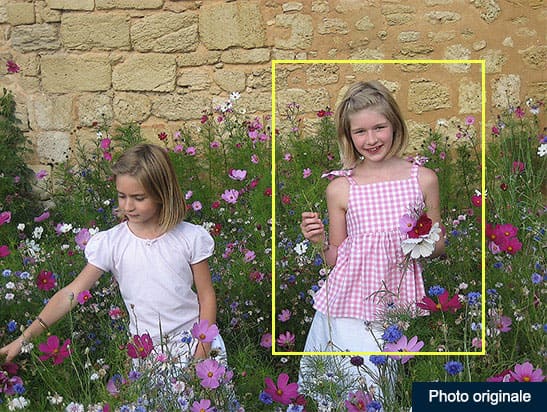
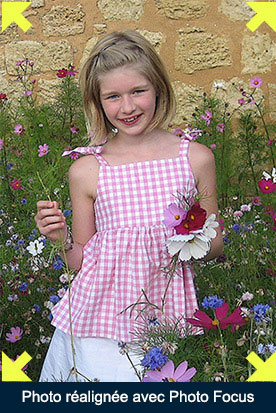
Target the Center of the Image
Photos are not always well-centered. Redefine the center of your images to direct the viewer's gaze toward the element that interests you.
Impressive Effects with Blur Filters
Add a horizontal blur (Tilt-Shift) filter to your photos. You will achieve a lovely miniature effect that highlights the central object of your image, giving it the appearance of a model.
Highlight Structure and Details
Emphasize every detail in your photos. Adjust the contrast and clarity for impressive photos rich in detail!
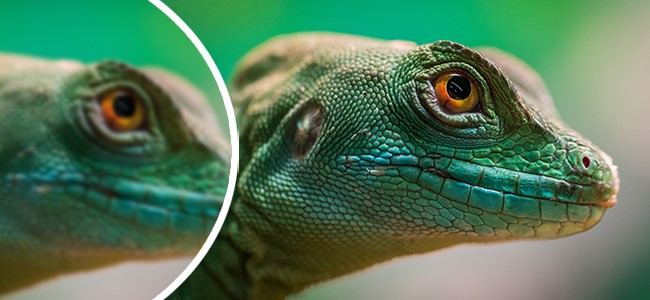

Optimize Sharpness

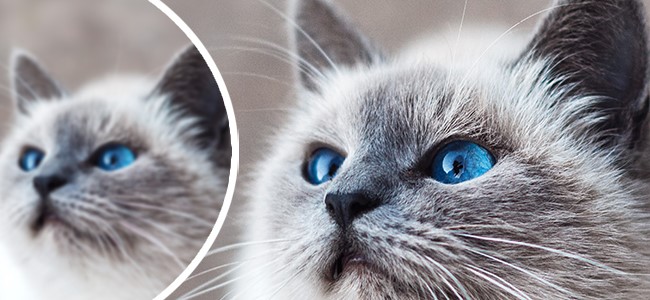
The potential of your photos can always be further exploited! Even the sharpest images can still be optimized to ensure perfect digital prints or exceptionally sharp prints!
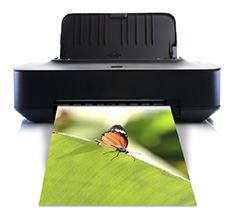
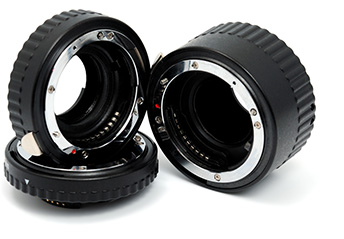
REPLACE EXPENSIVE PHOTO EQUIPMENT
Save money! With Photo Focus, you no longer need an expensive camera or lenses. The software enhances your photos with ease!
Simplicity
When developing InPixio Photo Focus, we paid particular attention to making the software easy to use. The program is intuitive and has many 1-click assistants. If you need help, tooltips are available for each tool, providing a brief description.

 | 1-click Automatic Sharpening feature to correct blurry photos |  | 1-click Focus feature for portraits, landscapes, architecture, or close-ups (macros) |
 | Before-and-after comparison between the original photo and the edited one |  | Miniature effect and blur filter, selective blur (professional version) |
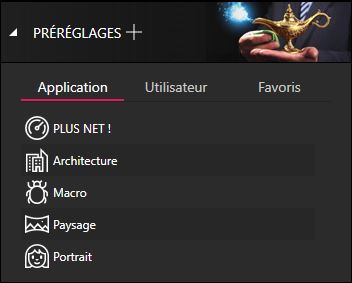
 | Photo cropping: select from 6 preset formats (16:9, 4:3, etc.) or a custom resolution |  | Image processing: brightness, contrast, clarity, color saturation |
 | Supported image formats: JPEG and TIFF (8-bit or 16-bit), PNG, BMP, GIF, and JPEG XR |  | Compatible with the latest version of Windows 10 |
The PRO Version Benefits
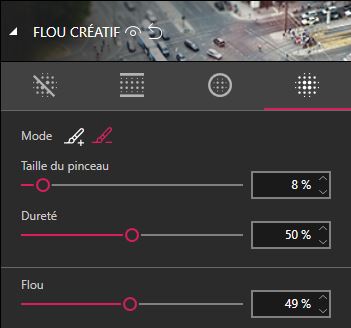
PLUS! Customize Your Artistic Blur Effects
Define the sharp and blurred areas of your photographs for optimal retouching.
PLUS! Save Your Personal Optimization Settings
Create auto-adjustments to retouch your next photos with just one click.
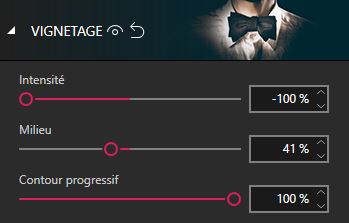
PLUS! Vignette Effects
Add vignette effects to your photos to create unique atmospheres and direct attention to the main subject. Adjust the intensity and shape of the vignette for a personalized result that enhances your images.
New Features in Version 4
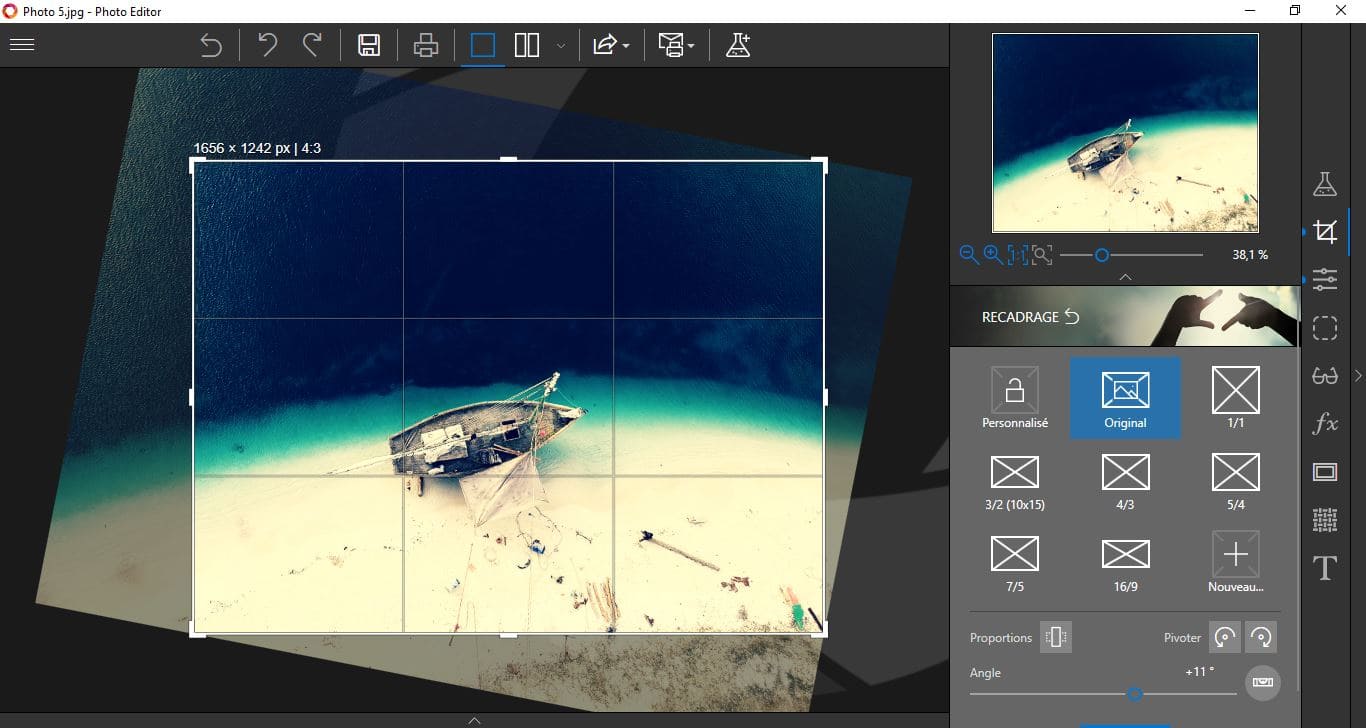
NEW! Improved Cropping Module with Added Horizontal and Vertical Symmetry
Crop your photos manually or choose from the suggested cropping formats, such as 1/1, 16/9, 3/4, etc. You can also rotate your images and adjust the angle for an optimal result.
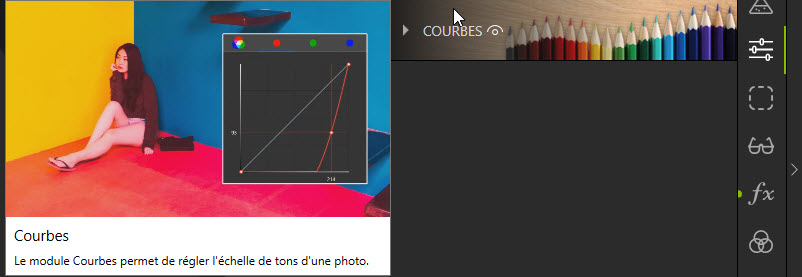
NEW! Tone Curve
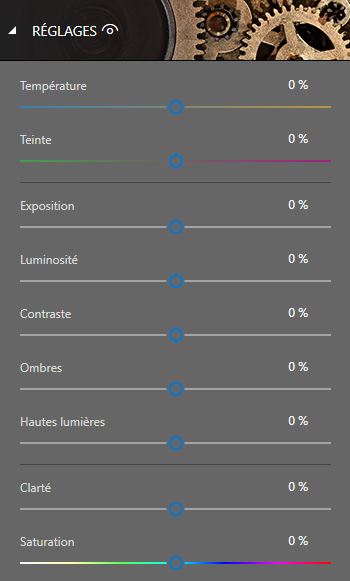
Play with the tone curves to achieve light or dark shades, and adjust the RGB (Red, Green, Blue) curves individually. With the always-available adjustment modules:
- Temperature
- Hue
- Exposure
- Brightness
- Contrast
- Shadows
- Highlights
- Clarity
- Saturation
NEW! Find Tutorial Videos for Each Photo Focus Module
To help you make the most of Photo Focus features, mini-videos have been integrated into each module of the software, in the form of tooltips. This makes getting started simpler and more efficient. The old and new features of the program are explained in a fun and dynamic way. Just hover over one of the features to see a demonstration of what you can achieve.
NEW! Modernized Interface
The new version features a sleek, ultra-modern user interface designed to provide an even simpler user experience.
System Requirements
- Version: 4
- Operating System: Windows 7, Windows 8, Windows 10
- Processor: Intel® Pentium® 1 GHz or equivalent
- RAM: 1 GB
- Drive: CD/DVD-ROM drive
- Hard Disk Space: 15 MB
- Devices: Mouse and keyboard
- Connection: Internet
Frequently Asked Questions
-
Is InPixio Photo Focus Professional easy to use?
Yes, the software is designed to be intuitive and user-friendly, with 1-click wizards to simplify the photo editing process.
-
What image formats does InPixio Photo Focus support?
The software supports the following image formats: JPEG, TIFF (8-bit and 16-bit), PNG, BMP, GIF and JPEG XR.
-
Can I use InPixio Photo Focus on Windows 10?
Yes, InPixio Photo Focus Professional is compatible with the latest version of Windows 10.



