
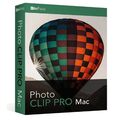
inPixio Photo Clip Pro for Mac

Delivery within 24 hours via email
 Free
Free
 Authentic Code
 Download Link
 Multilingual
 macOS |
 1 year
 Worldwide
 Full Version

Guaranteed Authenticity
All our softwares are 100% authentic, directly from official manufacturers.
Warranty
Enjoy peace of mind with our during the product's validity warranty, far beyond the standard 30 days.
Free Installation
Enjoy a free installation service for a hassle-free setup.
24/7 Customer Support
Our dedicated team is available anytime to assist you.
Best Prices
Get the best prices: AUD139.99instead of AUD175.99 and save! AUD36!
Description
inPixio Photo Clip Pro Mac - Overview
inPixio Photo Clip Pro for Mac is an advanced photo editing software that allows you to transform your images with precision and creativity. Ideal for amateur and professional photographers, it offers a wide range of features to improve photo quality and create impressive montages.
- Easily remove unwanted objects or people
- Cut precisely and create photomontages
- 100+ filters and effects to enhance your images
- Advanced tools to optimize color, brightness, and contrast
- Available exclusively in the professional version
Advantages of inPixio Photo Clip Pro Mac
Remove unwanted objects and people
The removal feature lets you eliminate objects or people without affecting the quality of the photo. The software automatically detects color contrasts, making it easy to process and reconstruct the background seamlessly.
Precise cutting and photo montage
With inPixio Photo Clip, cut any detail, person, object, or landscape from your photos in just a few clicks. The internal algorithm allows fine cutting, even for complex elements like hair or water drops. You can then place them on creative backgrounds for unique photomontages.
Advanced photo optimization
inPixio Photo Clip Pro offers a full range of optimization tools, including color correction, brightness adjustment, contrast, and clarity. Additional modules help reduce noise and sharpen details for professional-looking images.
Features of inPixio Photo Clip Pro Mac
Customizable filters and frames
With over 100 filters available, you can quickly change the mood of your photos. Choose from a vast selection of frames categorized by theme (classic, retro, sports, etc.).
Professional editing tools
- Clone tool: Clone contrasted elements or remove imperfections.
- Tone curve: Adjust tones to create custom light or shadow effects.
- Noise reduction: Ideal for enhancing low-light photos.
- Sharpening and film grain: Sharpen your photos or add a nostalgic touch with the grain effect.
- Creative blur: Add blur to parts of your photo for artistic effects.
Add texture and text
Integrate varied textures (light leaks, grainy, geometric, etc.) to give character to your photos. You can also add custom text to create unique compositions.
System Requirements
- Version: 9
- Operating system: Mac OS 10.11 El Capitan or higher
- Processor: 2 GHz or comparable model
- RAM: 2 GB
- Disk space: 120 MB
- Internet connection required for activation
Frequently Asked Questions (FAQ)
-
How and when will I receive my purchased product?
Digital products, including product keys and access to the download center, will be sent to you by email immediately after purchase.
-
What payment options are available?
We accept credit cards.
-
What guarantees do I have with productkey24.com ?
productkey24.com is a certified online store, offering a money-back guarantee under certain conditions. You also benefit from dedicated customer support for any issues related to your purchase. -
How can I acquire the product?
You can purchase inPixio Photo Clip Pro Mac directly from our website. Simply follow the checkout instructions and select your preferred payment method. The product will be sent via email once the order is completed.



