
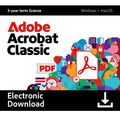
Adobe Acrobat Classic

Delivery within 24 hours via email
 Free
Free
 Authentic Code
 Download Link
 Multilingual
 Windows |
 macOS |
 3 years
 Worldwide
 Full Version

Guaranteed Authenticity
All our softwares are 100% authentic, directly from official manufacturers.
Warranty
Enjoy peace of mind with our during the product's validity warranty, far beyond the standard 30 days.
Free Installation
Enjoy a free installation service for a hassle-free setup.
24/7 Customer Support
Our dedicated team is available anytime to assist you.
Best Prices
Get the best prices: AUD1230.99!
Description
Adobe Acrobat Classic: Overview
Adobe Acrobat Classic is the latest perpetual desktop version of Adobe’s trusted PDF editing software, designed for users who prefer a one-time purchase over a subscription. This version provides all the core capabilities of Acrobat Pro 2020 along with new improvements, including an updated user interface and expanded accessibility tagging — all without requiring internet access or a subscription. Ideal for professionals who need advanced PDF editing tools in a desktop environment.
- One-time purchase: No subscription or recurring fees required.
- Offline use: All features are available after activation without internet access.
- Advanced PDF tools: Includes powerful editing, form creation, extraction, and export features.
- Updated interface: New streamlined UI for faster workflows.
- Improved compliance: Enhanced support for accessibility standards and Microsoft security tools.
Adobe Acrobat Classic: Key Features
Intuitive and Customizable Interface
Adobe Acrobat Classic offers a streamlined, user-friendly interface that enhances productivity. Tools are logically grouped and easy to access, while the toolbar can be customized to match your workflow. Whether you're a beginner or a power user, the well-organized panels and menus make navigation effortless.
Quick File Marking and Retrieval
With the star-marking function, users can flag important files for immediate access. Files marked with a star are automatically grouped in a dedicated section, simplifying navigation and improving document management without adding complexity.
Form Creation on Blank Pages
Adobe Acrobat Classic allows users to create forms from scratch without relying on existing documents. Through the “Prepare a Form” tool, you can insert custom fields, dropdowns, checkboxes, and more — giving you complete control over the layout and structure.
Extracting Non-Contiguous Pages
Need only specific pages from a larger document? Acrobat Classic enables easy extraction of non-sequential pages. Simply select the desired pages in the thumbnail pane, right-click, and use the extraction dialog to isolate and save the content you need.
System Requirements
Windows:
- Processor: Intel® or AMD processor, 1.5 GHz or faster
- Operating System: Windows 10 (64-bit) version 1809 or later, Windows 11 (64-bit), Windows Server 2016/2019/2022/2025 (64-bit)
- RAM: 4 GB
- Hard Disk Space: 4.5 GB free space
- Display: 1024 × 768 resolution
- Graphics: Hardware acceleration (optional)
macOS :
- Processor: Intel, M1, or M2 Apple Silicon
- Operating System: macOS 12, 13, 14 (Sonoma), or 15 (Sequoia)
- RAM: 4 GB
- Hard Disk Space: 4.5 GB free space
- Display: 1024 × 768 resolution
Frequently Asked Questions
-
Is Adobe Acrobat Classic a subscription-based product?
No, Adobe Acrobat Classic is a one-time purchase product. You own the license permanently and there are no recurring subscription charges. It includes security updates but no new feature updates.
-
Does Adobe Acrobat Classic work offline?
Yes, once activated, Adobe Acrobat Classic operates entirely offline. Internet access is not required for daily use, making it ideal for secure or isolated environments.
-
Can I use Adobe Acrobat Classic on mobile devices?
No, Adobe Acrobat Classic is limited to desktop environments. If you require mobile access, real-time collaboration, or cloud storage, consider Adobe Acrobat Pro with subscription.
-
How to Download and Activate Adobe Acrobat Classic?
Once your purchase is complete, you will receive a secure download link and a valid license key via email. Follow the installation instructions, enter your product key, and start using Adobe Acrobat Classic immediately.



